 Fablum
EPUB · PDF · AudiobooksiPhone · iPad · Android
Read it or listen.
No account.
Fablum is one offline library for your EPUBs, PDFs and audiobooks, with free classics built in. Your books stay on your device, and there is nothing to sign up for.


Free for 5 books at a time. Then a one-time unlock. No subscription.

Listen

Read
- No account
- No ads
- No subscription
- Works offline
- 51 languages
I Library
Books and audiobooks on one shelf.
Most people keep one app for reading and another for listening. Fablum puts both in one library, and works the same way on iPhone, iPad and Android.
- Formats
- EPUB, PDF and audiobooks1
- Add books from
- Files, a web link, the free catalog, or “Open in” from another app
- Find them
- Search, genre filters, and sorting by title, author, date added, last opened or progress
- Keep it tidy
- Edit titles and authors. Finished books move to the bottom.
1 Audiobooks come from the free catalog, or as packaged .audiobook and .lcpa files. Fablum does not import loose MP3 or M4B files.

iPhone

Android
II Read
A reader that keeps out of the way.
EPUB and PDF open in the same calm reader. Set the type and the page colour once, then read. Fablum keeps your place.
- Type size
- 70 to 200%
- Page colour
- Light, sepia or dark, or follow the system
- Layout
- Turn pages, or scroll
- Single, double or automatic page spreads
- Progress
- Saved as you read
Or have it read to you.
Text-to-speech reads EPUBs aloud in your device’s own voices. The sentence being read is highlighted, and you can pause, skip or change the speed.2
2 Text-to-speech is for EPUB books. PDFs are not read aloud.

III Listen
A proper audiobook player, built in.
Chapters, speed, a sleep timer and bookmarks: what you would expect from a dedicated player, next to the books you read.
- Move around
- Chapters, a scrubber, and skips of 10, 15, 30 or 60 seconds
- Speed
- 0.5× to 2×, pitch-corrected
- Sleep timer
- After a set time, or at the end of the chapter
- Bookmarks
- Named by chapter, with the time, so you can find the moment again
- Keep going
- Mini-player while you browse, lock screen, background play and Android Auto3
3 Streaming a catalog audiobook needs a connection. Download it first to listen offline.
IV Discover
Free classics, built in.
Browse the built-in public catalog of public-domain ebooks and audiobooks without leaving the app. Download to keep, or start an audiobook streaming straight away. No store, no checkout.
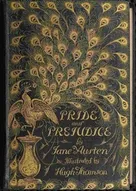
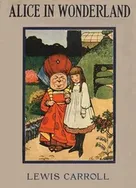
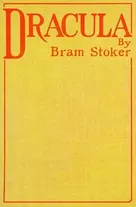
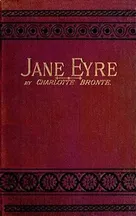
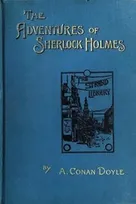
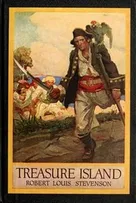
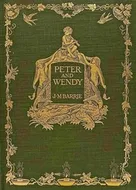
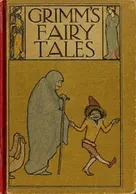
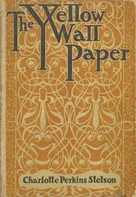
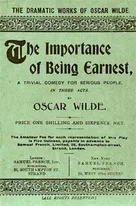
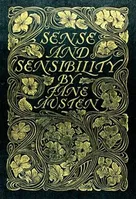

Three taps to a free book.
- 1Tap + in your library and choose Public Catalogs.
- 2Search, or filter by language and by EPUB, PDF or audiobook.
- 3Download it to keep, or stream the audiobook now.4
4 Catalog titles are public domain in the USA. Copyright terms differ between countries, so check yours before you download.
V Yours
A library, not a store.
Fablum sells no books and asks nothing of you. It is a place to keep what you read and listen to.
No account.
There is no sign-up anywhere in the app. Open it and add a book.
The one-time unlock is paid through the App Store or Google Play, like any other app purchase.
No ads. No marketing tracking.
Nothing in Fablum is paid for by advertising, and nothing about your reading is used to sell you things.
Fablum uses Google Firebase (Crashlytics and Performance Monitoring) to fix crashes and find performance problems. The data is not sold and not used for ads. The privacy page lists every item.
Offline by default.
Your books, audiobooks and reading positions live on your device. Anything you have downloaded works with no connection.
Browsing the catalog, downloading from a link and streaming all need a connection. The privacy page lists everything else that leaves the device.
Files, not licences.
Books you import or download are ordinary files on your device. Nothing expires, and nothing is taken back if you move to another country.
A streamed audiobook plays from the catalog and needs it to stay online. Download it to keep your own copy.
Apple Books, Google Play Books, Kindle and Libby also let you read and listen in one app. Every one of them needs an account or a library card.
From each app’s own store listing, help pages or terms, checked October 2026. See the comparisons.
VI Price
5 books free. Then yours for good.
Try it
Free
Up to 5 books in your library at a time, in any format.5
- Every feature, from day one
- Read and listen as much as you like
- Browse the free catalog
Fablum Unlimited
Once.one-time unlock
One purchase removes the limit. Your store shows the price in your currency before you pay.6
- No limit on books
- No subscription, no renewals
- Restore it on your other devices
VII Questions
Plain answers.
Does Fablum work without internet?
Yes. Everything you have downloaded works offline. You need a connection only to browse the catalog, download from a link, or stream an audiobook.
Which files can I open?
EPUB and PDF books, and packaged audiobooks (.audiobook and .lcpa). Loose MP3 and M4B files are not imported. A book bought from another store usually arrives in that store’s own protected format, which Fablum cannot open.
Do I need an account?
No. Nothing in Fablum asks you to sign up or sign in.
Is it really a one-time purchase?
Yes. One purchase removes the 5-book limit for good. There is no subscription.
Does Fablum collect any data?
Some, and none of it for advertising. Fablum uses Google Firebase (Crashlytics and Performance Monitoring) to fix crashes and find performance problems. The privacy page lists each item. Your books stay on your device.
Can I sync between my devices?
Not yet. Each device keeps its own library. Optional sync is planned.
Does it work on iPad and Android tablets?
Yes. Fablum runs on iPhone, iPad, and Android phones and tablets.
Which languages does it speak?
The app is available in 51 languages, and the catalog can be filtered by the language a book is written in.
Planned, not shipped
- FB2 and DjVu books
- More free catalogs
- Optional cloud sync
- A PIN-locked library
Start with 5 books.
Free on the App Store and Google Play.